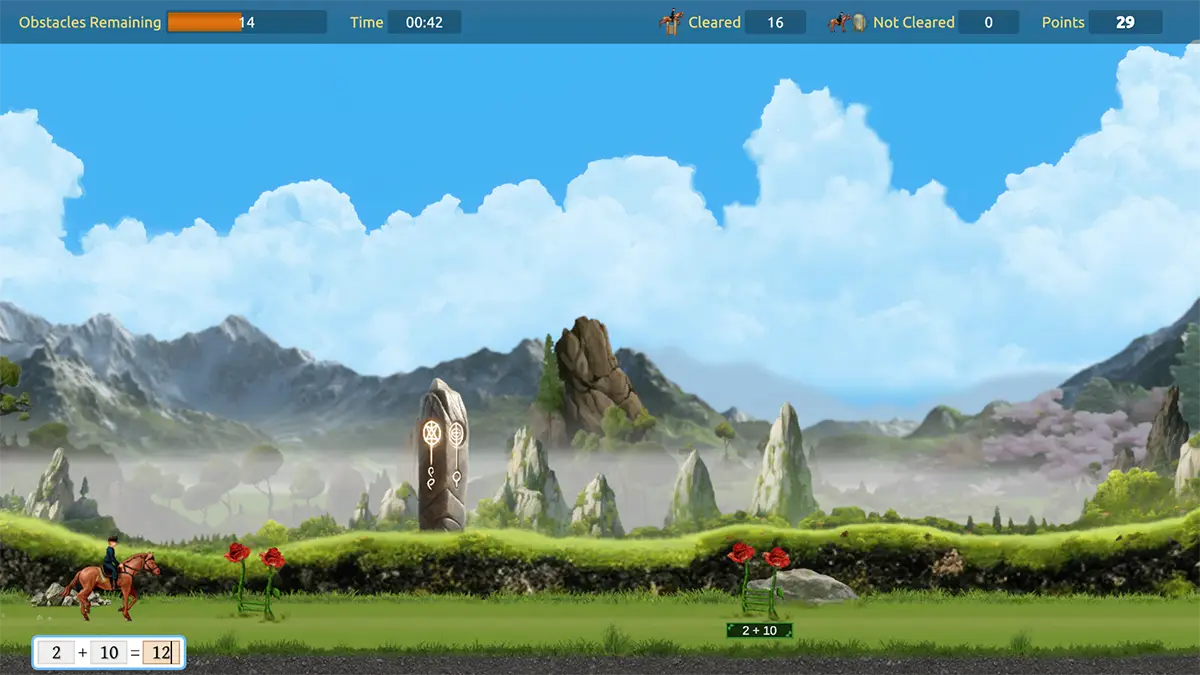
Here it is! The latest version of MathRider, hot off the press! Math facts practice has just become more beautiful, more clearly illustrated, better spoken, and smarter than ever before…
We’ve done a lot of analysing, enhancing, bug fixing and polishing again. Quite a few of these changes are based on how children actually learn, and on feedback from parents and teachers. If you have any feedback or suggestions, please let us know any time via our contact forms.
Enhancements
A visual refresh across the game
MathRider 7.5 is a big visual step forward, both in the menus and out on the trail.
Every riding realm has been reworked: richer scenery, clearer depth, better fog and lighting, and more immersive environments as you ride through desert, dragon, elven, fairy and other lands. Foregrounds, horizons and compositions have been rebuilt so the ride feels more three-dimensional and less like a repeating backdrop.
The rest of the game has been brought in line as well. Dialogs, game options, the registration screen and other UI have a cleaner, more consistent look, so the whole experience feels more polished from the moment you open the rider menu.
Three illustration styles to match how your child is taught
Children are taught math facts in different ways. MathRider now supports three visual styles for showing questions and answers, so the pictures on screen can follow the method used at home or at school:
Countable Balls
Quantities are shown as groups of balls, for counting and grouping. This has been the default illustration in MathRider until now.
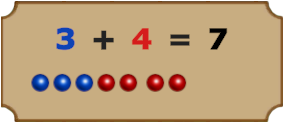
CRA Math Blocks
Colored blocks in the Concrete–Representational–Abstract style used by leading math manipulatives teaching methods.
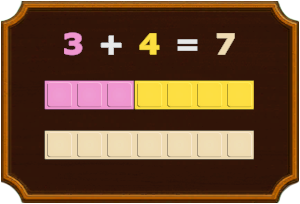
Colored Rods
Representing the more traditional wooden rods of different lengths, often used in teaching fundamental arithmetic.
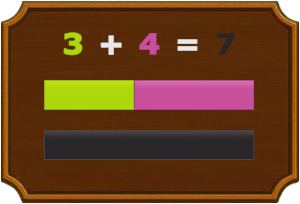
For division, you can also choose whether groups are stacked horizontally (as recommended by some leading Math teaching methods – showing the divisor) or vertically (as the reverse of multiplication).
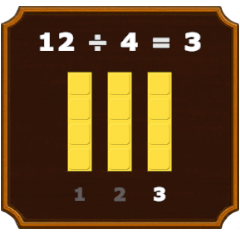
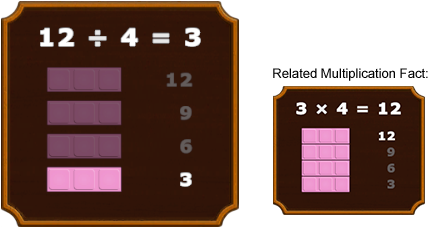
Illustrations are also integrated into riding environments
We also added the illustrations into the riding itself now. So whenever a question isn’t answered in time, the player will not just hear the question and answer being read out. They will also see it visually illustrated.
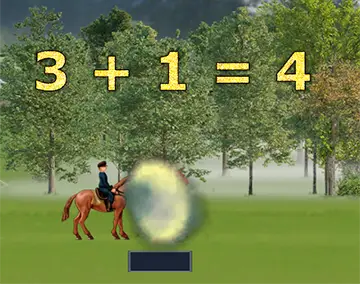
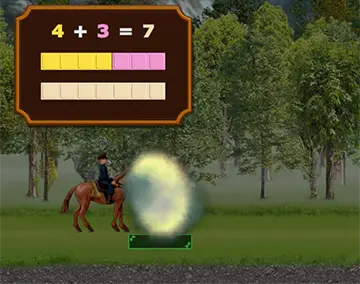
The timer and all game animations stop while a correction is on screen, so the child can look at the illustration without worrying about losing riding time.
All illustrations are animated and fully voiced in both US and UK English
Illustrations are animated in time with the spoken question, including extra steps for addition that goes past ten. You can choose a style once for the whole family, and override it for any individual rider.
Every math question and answer has been re-recorded in both US English and UK English, so the spoken facts match the language variant your child hears at school. They also sound a lot more fluent than the old audio recordings.
MathRider now picks a sensible default from the computer’s language settings, and you can still change a rider’s language in Edit Rider. Volume for speech, music and sound effects can be adjusted independently in Game Options.
Completely revised statistical engine and question selection
The heart of MathRider – how it judges mastery, and which questions it asks next – has been rebuilt.
Mastery scoring now gives a fairer picture of a child who is accurate but a little slower, instead of treating extra thinking time as if the fact were not known. Answer times are cleaned up more carefully: extreme delays are capped, and odd outliers are dampened so one long pause does not distort the picture of how consistent your child really is.
If progress stalls near the top of a quest, the game can ease the challenge individually for each operation. Easing addition no longer has to wait on subtraction, and the decision is based on recent play, so it works for both daily riders and more occasional ones.
Question selection for each ride has been revised to go with this. The game is better at practising what still needs work, introducing new facts at a sensible pace, and keeping the mix of a ride at a healthy level of challenge.
The Statistics screen has been improved as well, with a clearer view of where a rider is improving and better charts of how questions are going.
Other gameplay improvements
- Score trails now follow correct answers, with intensity that matches the size of the score.
- End-of-ride improvement bars have more depth, so progress is easier to see at a glance.
- The statistics grid is oriented so related facts line up: addition with subtraction, and multiplication with division.
- Game Options is now a tabbed dialog covering illustration style, horse speed, sound, and optional anonymous data sharing.
- Each rider can have their own illustration, speed and audio settings. Family-wide defaults sit in Global Game Options on the Rider Menu.
- A first-time setup wizard walks through the important choices when no global options have been saved yet.
Bug Fixes
Yes, we also fixed a number of pesky bugs. Here are the main ones:
- Saving ride data could fail after a challenge-factor check.
- If a database update cannot complete, the game now shows an abort dialog instead of freezing.
- The Statistics “View Progress” animation no longer leaves the screen darkened under certain circumstances.
- Low graphics settings no longer crash when a correct answer tries to play a missing particle effect.
- Dialogs shown before anyone logs in now follow the computer’s language.
- Most recent play dates in the Rider Menu now show in the format corresponding to your locale set on your computer.
Available Now
MathRider v7.5 is available for download right now for all registered users of the game. Check the email you used when you first purchased the game for details.
How Do I Tell If I’m Using version 7.5?
You can easily tell from within MathRider. The game shows the version number in the top left of the Rider Menu screen as well as the main screen.